
Check sleeves where they meet hands and hair
Sleeve cuffs, crossed arms, loose hair, bags, and jewelry create overlap. Zoom in to confirm that the new fabric does not erase fingers, grow through hair, or merge with an accessory.
Change the outfit · keep the person
Upload a portrait, choose an outfit direction, and tell the editor which identity, pose, hand, and scene details should remain recognizable while the clothing changes.
AI Clothes Changer working editor
Build the outfit request
A clothes edit is easier to review when the garment, fit, and protection list are explicit. Start with one outfit direction, then refine fabric or color in a later pass instead of mixing several looks into one request.
Prompt assembled from this task setup
Change only the clothing to a well-fitted navy business suit with a white shirt. Use a natural fit that follows the existing body and pose. Keep the same face, expression, hair, and identity, the same pose, arms, hands, gesture, and body proportions, the same camera, crop, background, shadows, and lighting as close to the source as possible. Do not add logos, text, accessories, or a second person.Before and after
This illustrative comparison replaces a gray T-shirt with a navy blazer while keeping the same adult, pose, hands, framing, entrance, and daylight recognizable. Check those unchanged details before judging whether the outfit edit is ready to use.
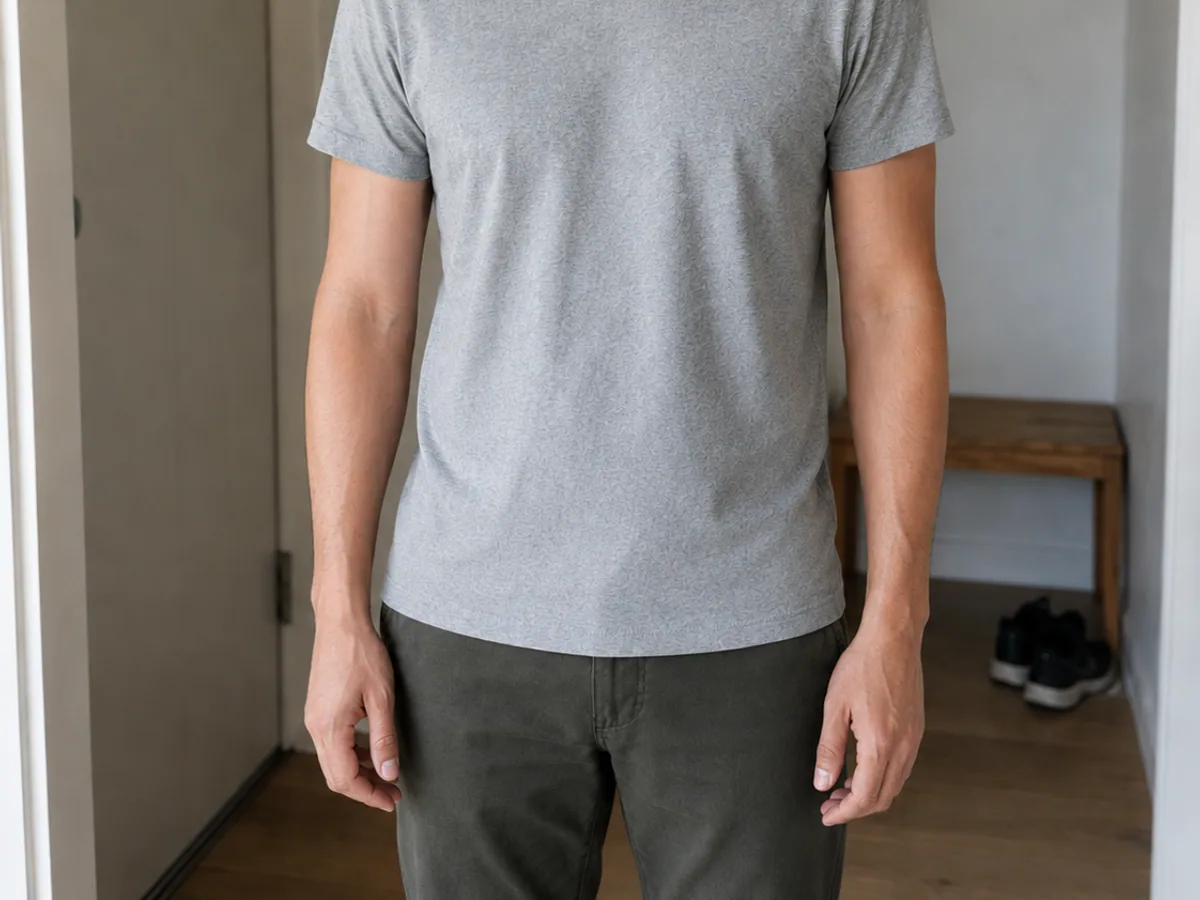
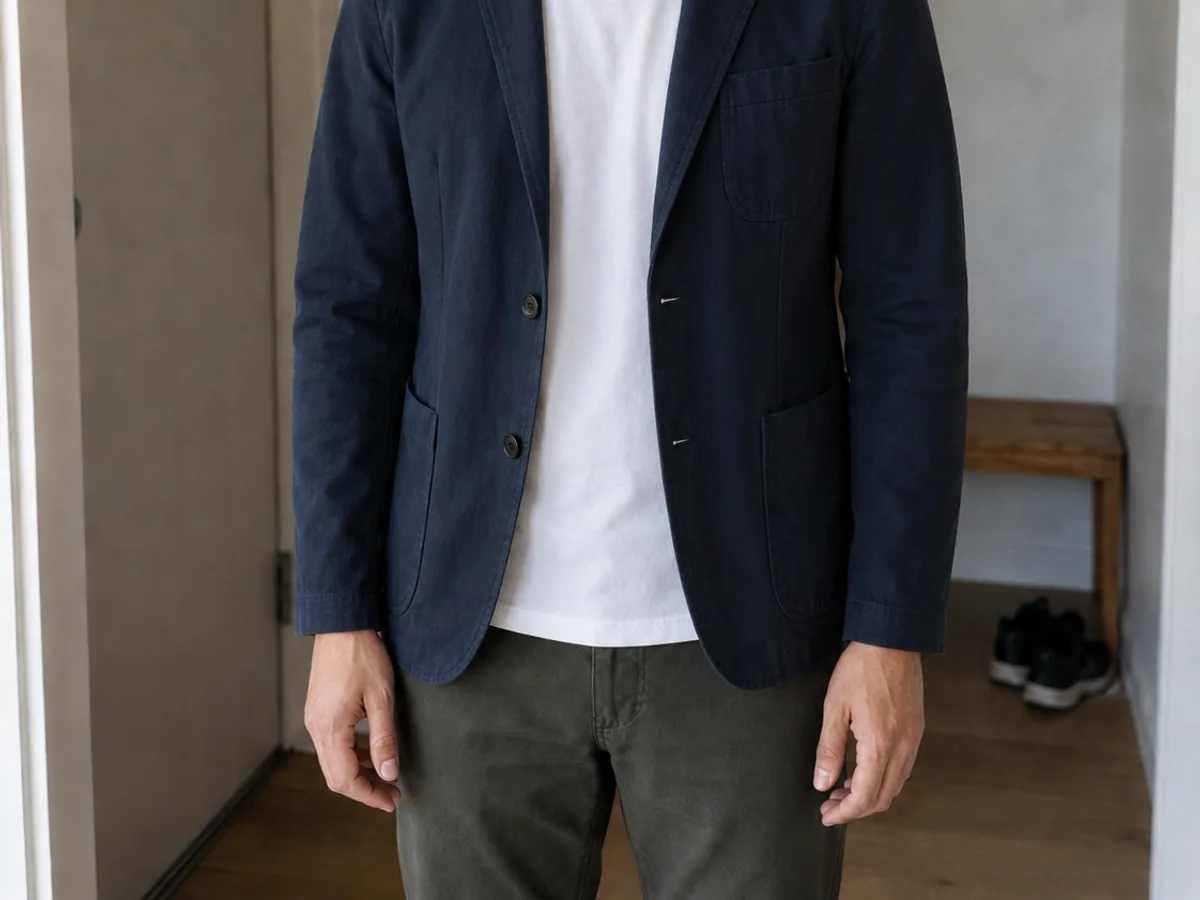
Gray T-shirt → navy blazer
Sleeve cuffs, crossed arms, loose hair, bags, and jewelry create overlap. Zoom in to confirm that the new fabric does not erase fingers, grow through hair, or merge with an accessory.
A different garment can change the visible silhouette, but it should not silently narrow shoulders, move the waist, lengthen limbs, or alter the original standing or seated pose.
Review the background, crop, camera height, skin tone, and light direction. If those drift, keep the useful garment prompt and strengthen the relevant protection instruction for the next pass.
Control the clothing edit
The page narrows a general image editor into an outfit workflow. Garment choices prepare the request, Multi Fusion accepts references when needed, and the preservation controls remind you which portrait details require comparison after generation.
Tell the model to keep the face, body proportions, hands, pose, camera angle, and background while changing only the clothing.
Specify garment type, fit, fabric, color, season, and styling—from casual streetwear to formal campaign looks.
Upload a person photo and clothing references in Multi Fusion mode when you need a more specific silhouette or material direction.
Compare colors, materials, and styling directions before a shoot, listing update, or design decision.
Outfit directions
Load one practical direction, then replace its garment, material, or color with your own. The prompt stays editable in the generator and never starts a paid action by itself.
How it works
Choose a source where the current clothing and body boundaries are visible. One clear garment change is easier to compare than a request that also replaces the background, pose, lighting, and accessories.
Choose a JPG, PNG, or WebP with the subject and details you want the AI to preserve.
Name what should change and what must stay untouched. Specific instructions produce more controlled edits.
Review the result, adjust the prompt if needed, and download the version that best matches your goal.
Where it helps
Each use case has a different success test. Fashion work emphasizes silhouette and art direction, product variations emphasize repeatability, and a personal preview depends on keeping the person recognizable.
Test an editorial direction, seasonal wardrobe, or campaign styling before production.
Explore garment colors and presentation ideas while keeping the model and composition consistent.
Preview a casual, formal, professional, or event-ready look on an existing portrait.
Input and review advice
Occluded sleeves, cropped hands, long hair over the torso, and motion blur leave the model less evidence. Use these checks before deciding whether a second generation or a better source is the right next step.
Visible garment boundaries and unobstructed hands help the model rebuild clothing more naturally.
Include the face, hair, pose, hands, background, lighting, and camera framing when consistency matters.
Change the garment first, then adjust its color or material in a follow-up generation for more control.
FAQ
These answers describe a generative outfit workflow. They do not promise an exact garment transfer, pixel-locked identity, or a usable result from every pose and reference.
Upload only images you have permission to edit.Yes. Upload a portrait and describe the replacement outfit, including garment type, color, fabric, and fit. Clear instructions about what to preserve help keep the result consistent.
Accounts receive free daily credits that can be used to try supported image-editing models. Credit use varies by model and output settings.
Yes. Multi Fusion mode supports multiple source images, so you can provide a person photo together with one or more clothing references.
The editor can preserve identity and pose, but generative results can vary. Use a clear source and explicitly ask it to keep the face, body, hands, pose, and framing unchanged.
You can request casual wear, business outfits, dresses, jackets, sportswear, costumes, or specific colors and materials, subject to model capability and the source image.
Ready for one outfit change?
Prepare one garment direction, add a reference only when it helps, and compare the face, hands, pose, and scene before downloading the result.