
Read the replacement character by character
Check letters, digits, punctuation, capitalization, and repeated characters. A result can look typographically plausible at a glance while containing a subtle spelling or number error.
Existing copy in · updated image out
Upload a flat image, quote the visible text and its replacement, identify the location, and review every letter, line break, nearby label, and background detail after the edit.
Edit Text in an Image With AI working editor
Define the replacement
A text edit needs the visible source phrase, the replacement, and enough location context to identify the right block. Keep the first replacement short and inspect the complete image because generative editing can affect nearby characters and pixels.
Prompt assembled from this task setup
Replace only “OPEN 8–3” with “OPEN 8–4” in the main headline. Keep the replacement in the same location with similar visual weight, color, baseline, and perspective. Preserve every other word, number, punctuation mark, and text line, layout, alignment, spacing, icons, illustrations, and borders, products, people, background texture, color, perspective, and scene as close to the source as possible. Do not rewrite, translate, or add any unrequested text.Before and after
This illustrative menu pair changes only the hours from “OPEN 8–3” to “OPEN 8–4.” The close crop makes the letters easier to inspect, but you should still compare the full image for unwanted changes. Exact font matching may require another edit.
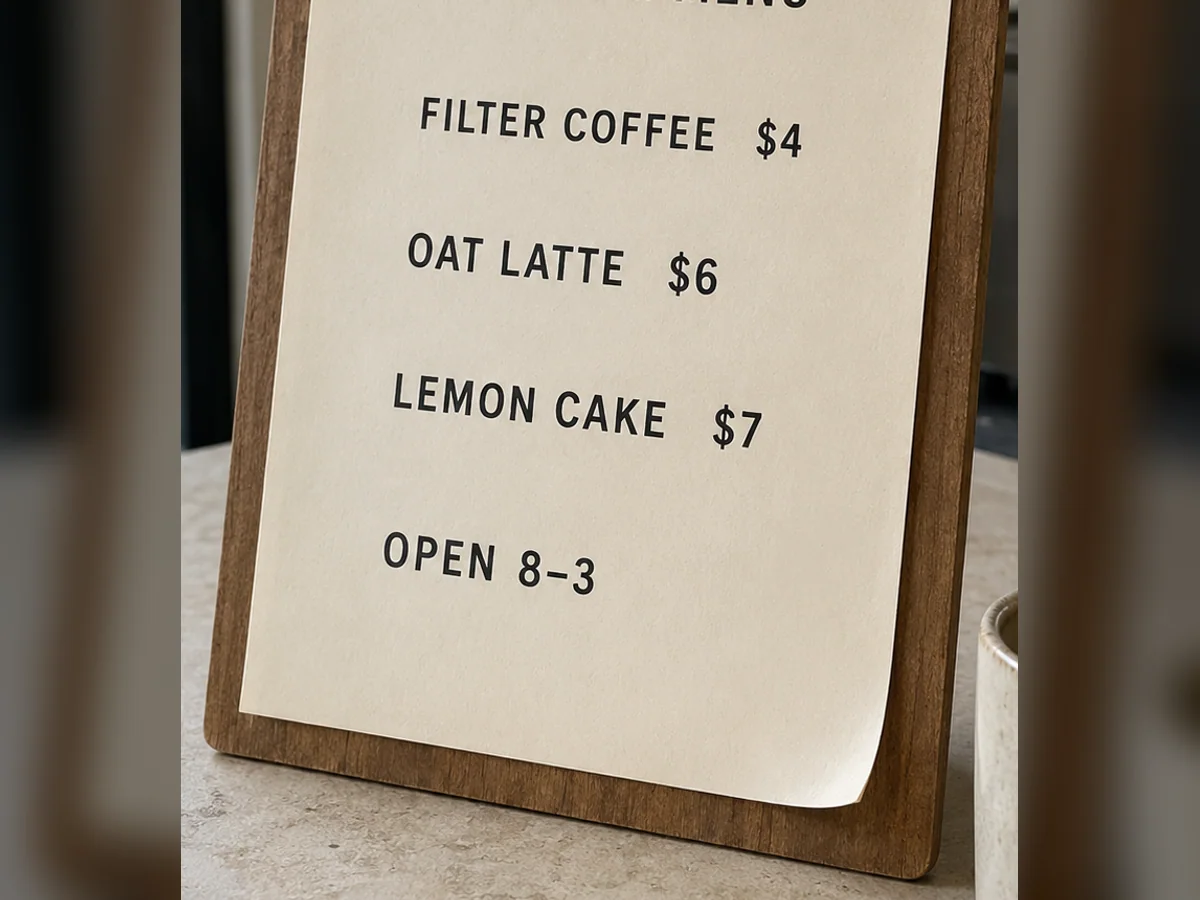
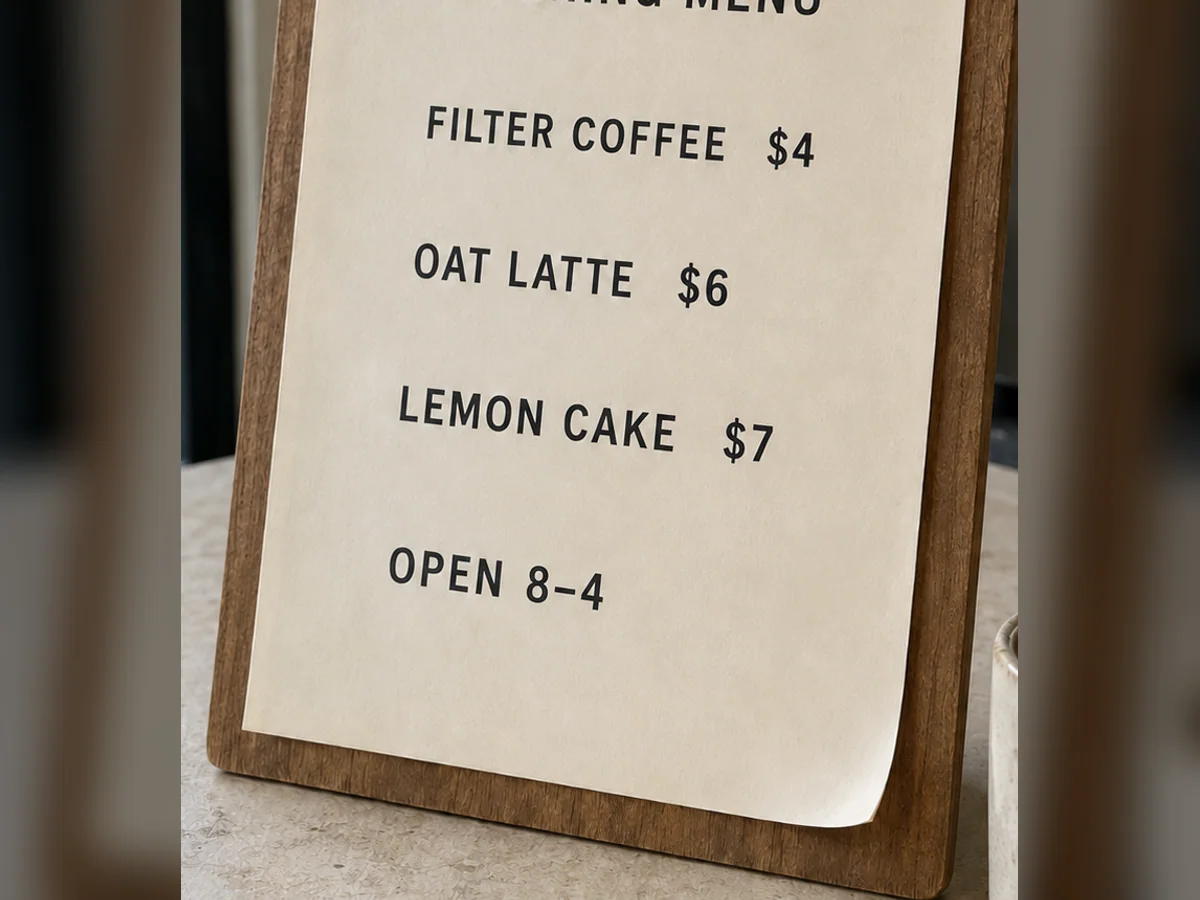
OPEN 8–3 → OPEN 8–4
Check letters, digits, punctuation, capitalization, and repeated characters. A result can look typographically plausible at a glance while containing a subtle spelling or number error.
Generative editing can alter an adjacent price, line, or label even when the prompt names one target. Review unquoted copy and the complete layout against the source.
Longer replacements can crowd the text area or change wrapping. Also check the pixels behind the text for smears, repeated texture, broken borders, and shifts in perspective.
Control the text edit
This is a generative pixel edit, not a layered design file or OCR text box. The task fields make the requested replacement explicit, while the review checklist accounts for spelling, layout, and nearby-content drift.
The image model can read clearly visible text as part of the picture. The product does not expose a separate OCR transcript or editable text boxes.
Use it for headlines, names, prices, dates, labels, signs, product copy, and other focused replacements.
Ask for similar scale, weight, color, spacing, angle, texture, and hierarchy. Exact font identification and exact matching are not guaranteed.
The model regenerates pixels around the old letters so the new copy can blend with the background instead of sitting on top as a separate layer.
Text replacement directions
Each preset demonstrates a location and protection pattern. Replace the quoted phrases with the exact visible and new text, then keep the final instruction narrow enough to audit.
How it works
Start with readable, unobstructed text and one replacement. Flat JPG, PNG, and WebP images do not contain editable type layers, so the model regenerates the requested area and the result must be proofread.
Use the highest-resolution version you have. Text should be readable, unobstructed, and large enough to inspect.
Write the exact visible phrase and its replacement in quotation marks. Add a location such as headline, price, or bottom-right label when needed.
Ask the model to change only that text and keep unrelated content as close to the source as possible.
Check spelling, numbers, line breaks, spacing, nearby copy, and background artifacts. Regenerate or use a tighter crop when necessary.
Where it helps
The workflow suits authorized changes to concise, visible copy. Dense paragraphs, curved lettering, exact brand typography, official records, and misleading document edits fall outside a reliable or appropriate first task.
Change a short headline, event date, callout, or promotional message in finished campaign art.
Replace a clearly visible label or status for a presentation, prototype, or localized example.
Update a price, short product label, name, or contact detail when you have permission to edit the asset.
Input and review advice
Resolution, contrast, perspective, occlusion, and replacement length affect how much the model must reconstruct. Use these constraints to decide whether to crop, shorten the wording, or return to the original design file.
Tiny, blurred, curved, highly decorative, partly hidden, or low-contrast text is more likely to be misread or regenerated incorrectly.
A phrase with a comparable character count is less likely to force new line breaks or crowd surrounding elements.
If the layout is dense, crop around one text block, edit that area, and review the result at full size before using it.
FAQ
These answers describe a generative image-editing workflow. The product does not expose OCR boxes, recover the original font file, or guarantee letter-perfect output without review.
Upload only images you have permission to edit.Yes, for many clear and focused cases. Upload the flat image, quote the visible text and replacement, and the model will regenerate that area. Results are generative, so always check every letter.
The multimodal image model interprets visible text directly, but this product does not currently return a separate OCR transcript or selectable text boxes. Describe the text and its location in the prompt.
Not reliably enough to promise an exact match. It can approximate weight, size, color, spacing, perspective, and texture, but the original font file is not detected or reused.
Yes. JPG, PNG, and WebP uploads are supported. Use a clear, high-resolution source and review the generated image for spelling and layout changes.
You can list several replacements, but one text block at a time is usually easier to verify and less likely to change unrelated copy.
The editor currently offers three free trial generations with the supported trial model. Other models and higher-resolution options require credits.
Ready for one text replacement?
Keep the request focused on one visible block, preserve surrounding copy and layout, and inspect every character before you export the result.